
What's coming.
CartoSmith is a Windows battle map program for the DM. It is at version 0.9.52 and heading for 1.0. Here is what has just been built, what is in testing now, and what comes next.
There are no release dates yet, and the order can change. Updated October 2026.
Where things stand
-
Windows appIn testing
On its way to 1.0. No release date yet.
-
Online playWorking · testers wanted
Remote players on their own connections, with line of sight. Not open to everyone yet.
-
Free toolsAvailable now
- Built, in testing
- Online play, in testing
- On the list
- Being considered
Built, in testing.
These are built into the current version. They have automated tests and are still being checked on Windows before they are announced as released.
-
Weather New in 0.9.52
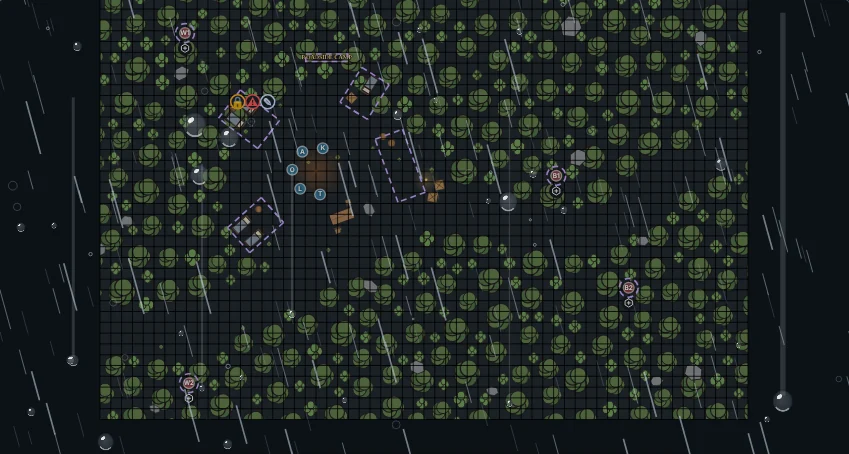
A Weather section in the left panel. One click sets drizzle, rain, thunderstorm, snow, fog or wind, most in light, medium or heavy, or turns it off. Pick the wind direction and whether a change happens at once or fades in, so a storm can build during a scene. Rain falls in layers with gusts and splashes, lightning flashes in a thunderstorm, raindrops bead on the screen, and the Soundboard plays a matching loop.
Weather changes the fight: heavy rain, snow and fog halve darkvision and carried lights and cut ordinary sight to 60 ft, and when the weather ends everything is exactly as it was. The Player Display and players' phones show the same weather at the same moment. The Weather Machine lets you set temperature, humidity, pressure, wind and cloud, and the weather follows. A Motion setting follows Windows' reduce-motion choice or shows a still picture. Weather is never saved into your map. Watch it on the home page.
-
Windows keep secrets New in 0.9.52
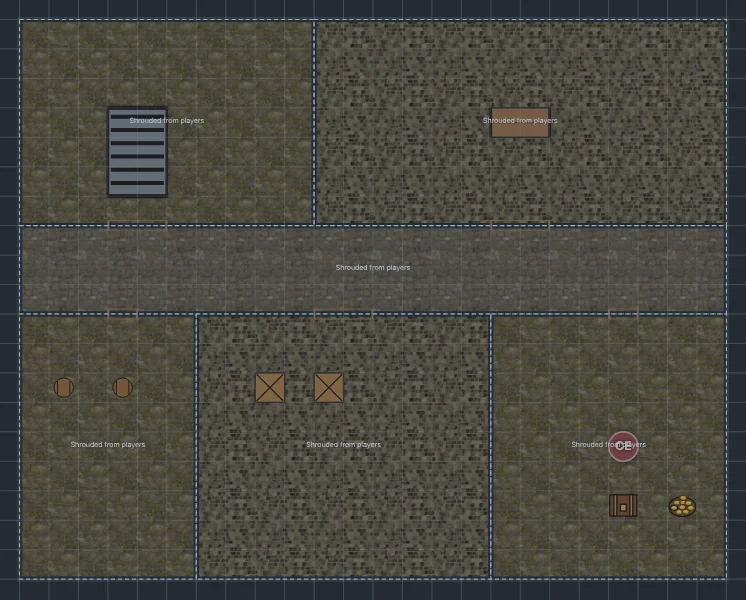
A room you haven't revealed now blocks sight past it for everyone outside it, so the party can't look through its windows before they find it. A secret door that hasn't been found blocks sight as well as movement. Revealing or hiding a room updates the DM screen, the Player Display and every phone at once.
-
A better right-click menu New in 0.9.52
Right-click any player character, NPC or monster, on the map or on its name in the initiative list, and everything about it is in one menu. Change its name, symbol and initiative at the top. Type an amount and press Damage or Heal, and a coloured bar shows how hurt it is. Tick conditions from one alphabetical list, and star the ones you use most so they sit as quick buttons on every creature. Give it a torch, lantern, candle or Light spell and the light moves with it, lighting the way for the party; heavy weather shortens it like sight. Drag the menu's sections into the order you like and it remembers.
-
Reveal traps and locks New in 0.9.52
Right-click a door, chest or trapdoor and choose Reveal trap or Reveal lock. Only then do players see it in red or amber. Players' phones now draw door icons for the doors the party can see, and every door, chest and trapdoor uses the same colours everywhere.
-
Finer snap in the Map Maker New in 0.9.52
The room and wall tools have a Snap switch and a Step list: 1, ½, ¼ or ⅛ of a square. Freehand rooms and walls now snap to quarter squares by default, so their corners line up and small wobbles along a straight line are straightened. Hold Alt to draw one stroke free. A View row turns the map 90° while you build, without changing the saved map.
-
Dark woods and textured floors New in 0.9.52
Five dark wood floors in the floor picker: Ebony boards, Dark walnut, Charred oak, Weathered black oak and Dark stained planks. The Blackwood Manor sample now has textured floors on every level, dark woods above and mossy flagstones and cobbles in the cellar. Every texture is free (CC0) art, listed on the art credits page.
-
Soundboard
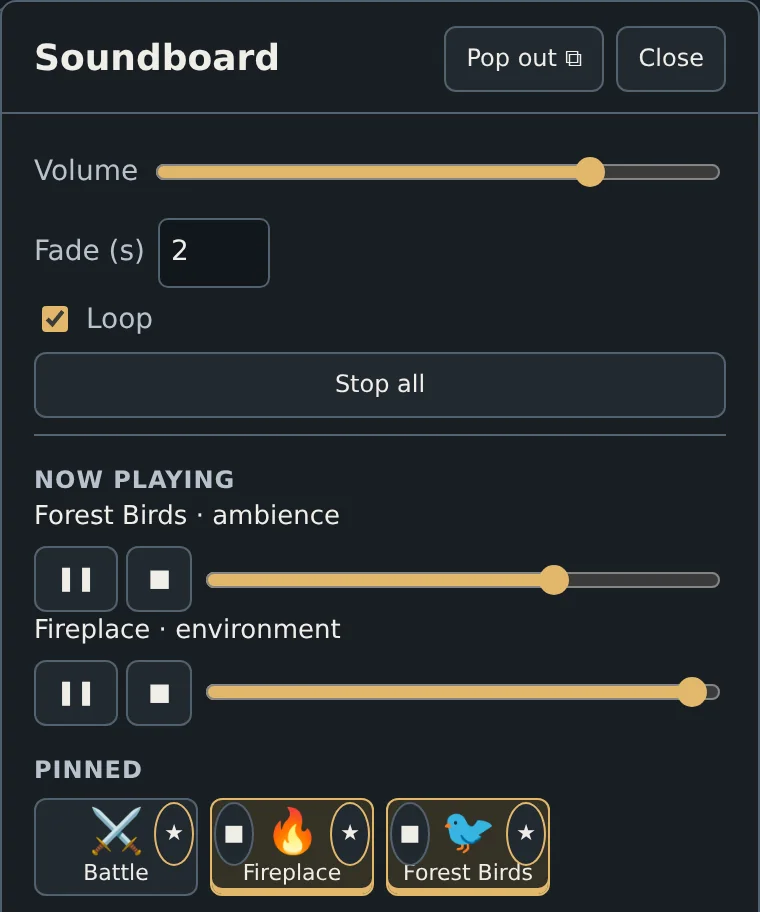
Press Audio beside Home and the Soundboard floats over the map while you keep playing. Sounds are tiles grouped into Music, Ambience, Environment and Effects, each group with its own volume. Fade in and out, crossfade music, loop, and star your favourites to keep them at the top. Pop it out into its own window and put it on another monitor.
It comes with 66 free recordings: 58 effects (doors, combat, bells, creatures, magic, tavern and loot, footsteps) and 8 seamless loops, from rain on a window to night crickets and ocean waves. Add your own sounds with a web link to an audio file and they are saved with your map. Files from your PC also work, but only for that session. Music is still placeholder tunes for now. Optional automatic audio changes the music when you move between floors and switches to combat music when combat starts. For now only you hear it, at the table.
-
Import a Universal VTT map
Home has an import for .dd2vtt and .uvtt files from Dungeondraft and other Universal VTT tools. Choose what to bring in: walls, doors, lighting and the background picture. You get a correctly aligned map with line of sight already working.
A summary lists what came across, what did not and any warnings. Very large maps import in moments. Windows are never guessed, and ambient light is not imported.
-
Token portraits
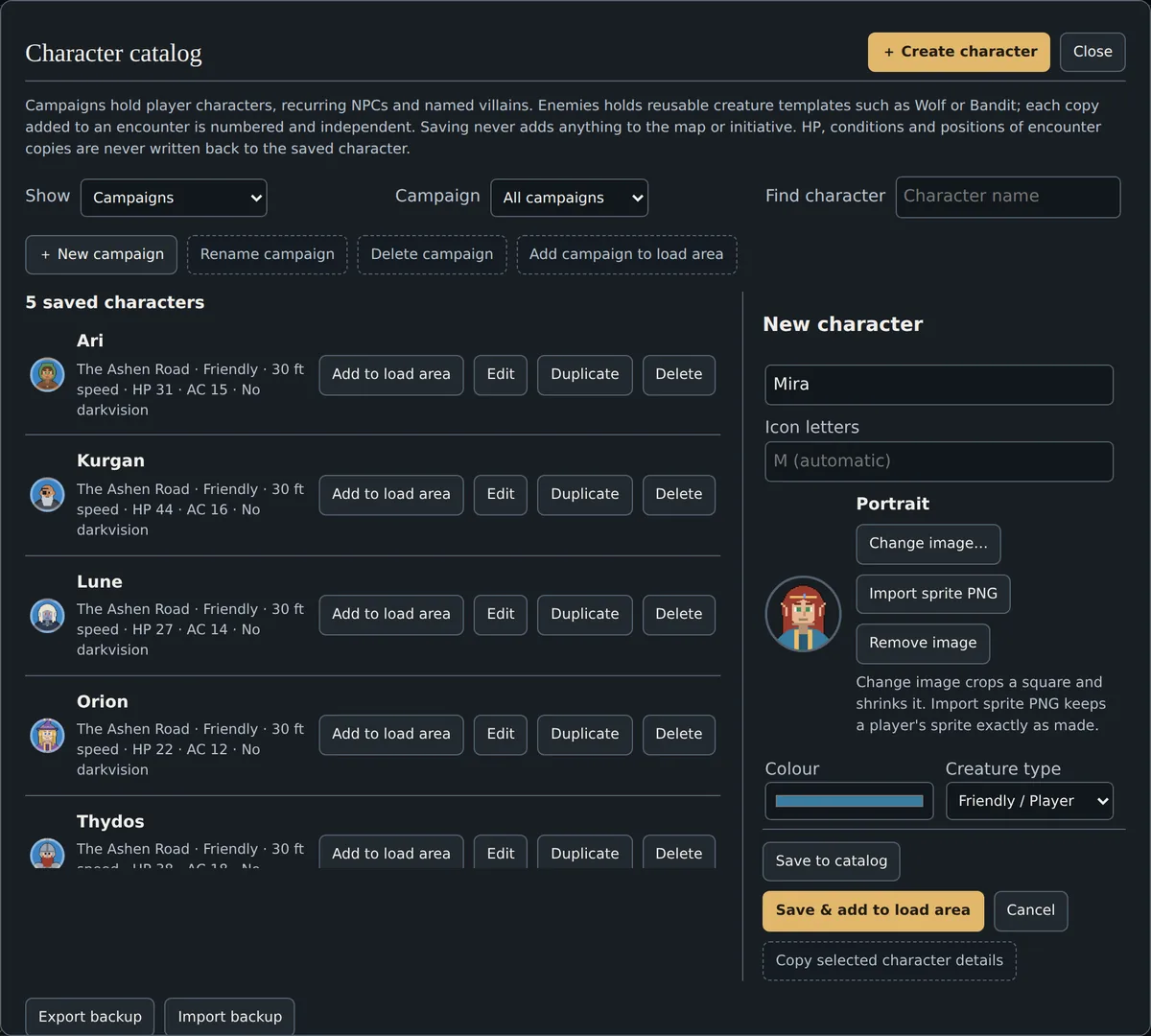
Give any saved character a portrait. Pick a picture from your PC, drag the square crop into place and save. The portrait travels inside your saved map, and the Player Display only shows it on tokens your players can already see.
Portraits sit inside the token ring, so selection, active turn, conditions and team colour stay readable. You can also drop in a pixel-art token a player made in their browser, exactly as they drew it. Characters without a portrait look exactly as before.
-
Roadside Camp, full size
Roadside Camp is back to the full-size camp, 120 by 90 squares of forest and road, with its hidden bandits and wolves still waiting. Line of sight keeps up with its 1,400 trees, rocks and plants.
-
A new top bar
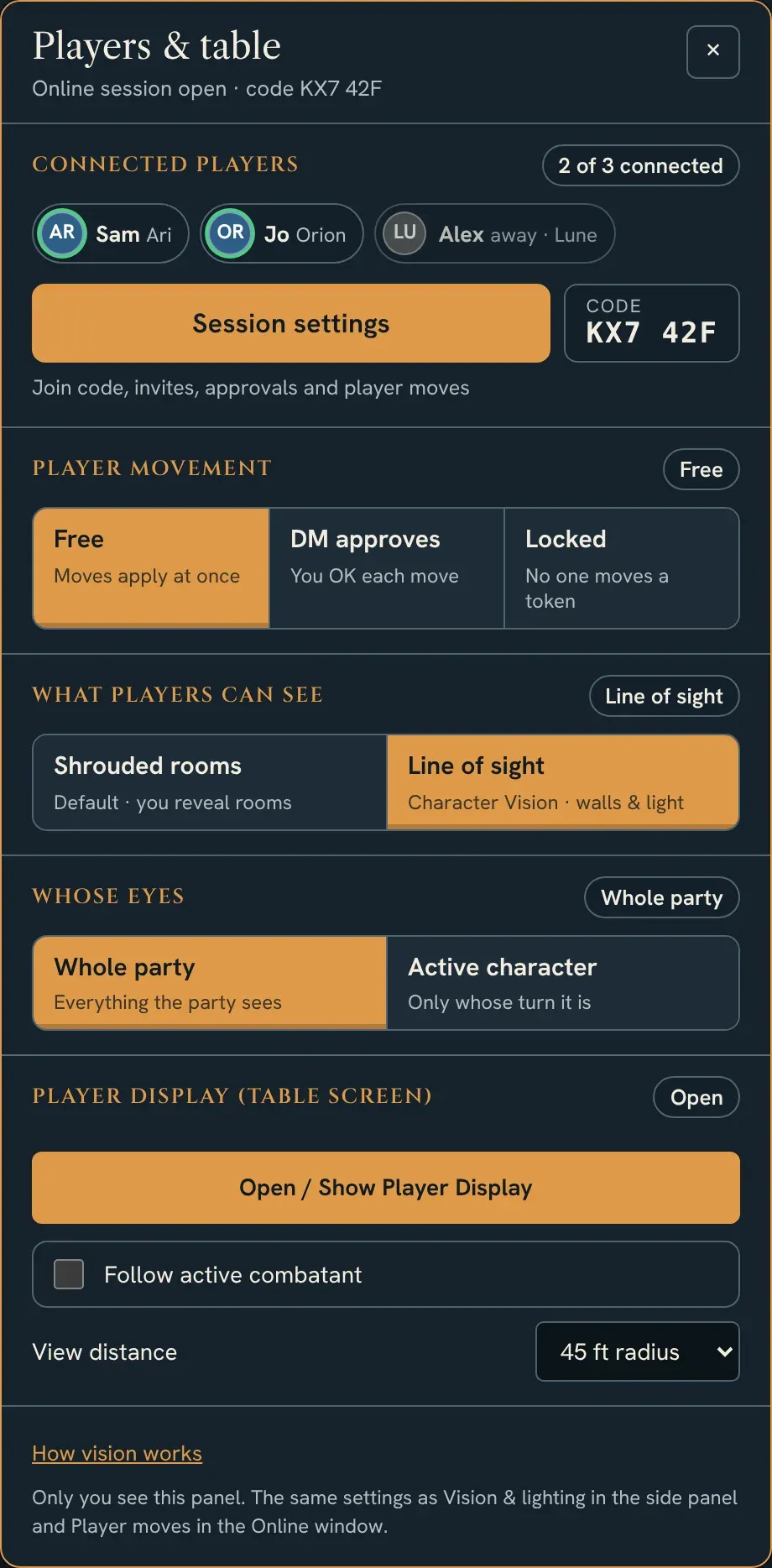
Two slim rows that stay the same height in every mode (on short windows the Players strip folds into the first row). The first row is the app, with Online and Lock always at the right. The second is a Players strip that says in words what players get right now: what they see, whose eyes, how they move, and the Player Display. Click any of it to open one Players & table panel.

-
Line of sight that keeps up in a forest
Sight is now worked out nearest-first, so trees hidden behind other trees cost nothing. On Roadside Camp, with 489 trees, plants and rocks that block sight, working out what a character sees went from over a second to well under 20 milliseconds.
-
DM Prep state colours
Doors, chests and trapdoors show red for an armed trap, amber for locked, green for safe or open and brown for unchecked, with the shape still showing open or closed. Lights can be off, dim or bright, and a compact legend sits in the DM Prep panel.
Play online with your table.
You still run the game from your PC. Players open a link on a phone, tablet or laptop, type their name and wait for you to let them in. They install nothing and need no account.
Working end to end in private tests, with players on separate internet connections, each moving their own character and all sharing the party's line of sight. Not open to everyone yet. We're looking for testers. How online play works.
Your PC
CartoSmith runs the game here. The secrets, the rules and every move are decided on your machine.
The switchboard
A small relay that passes messages along. It keeps no game data, and you never need to open ports on your router.
Players' browsers
Up to 12 players. Each moves only the tokens you hand them and sees only what you allow: revealed rooms, or the party's line of sight.
On the player's phone
- Join with a code. Type the six-character code and a name, or tap your link. Then wait for the DM.
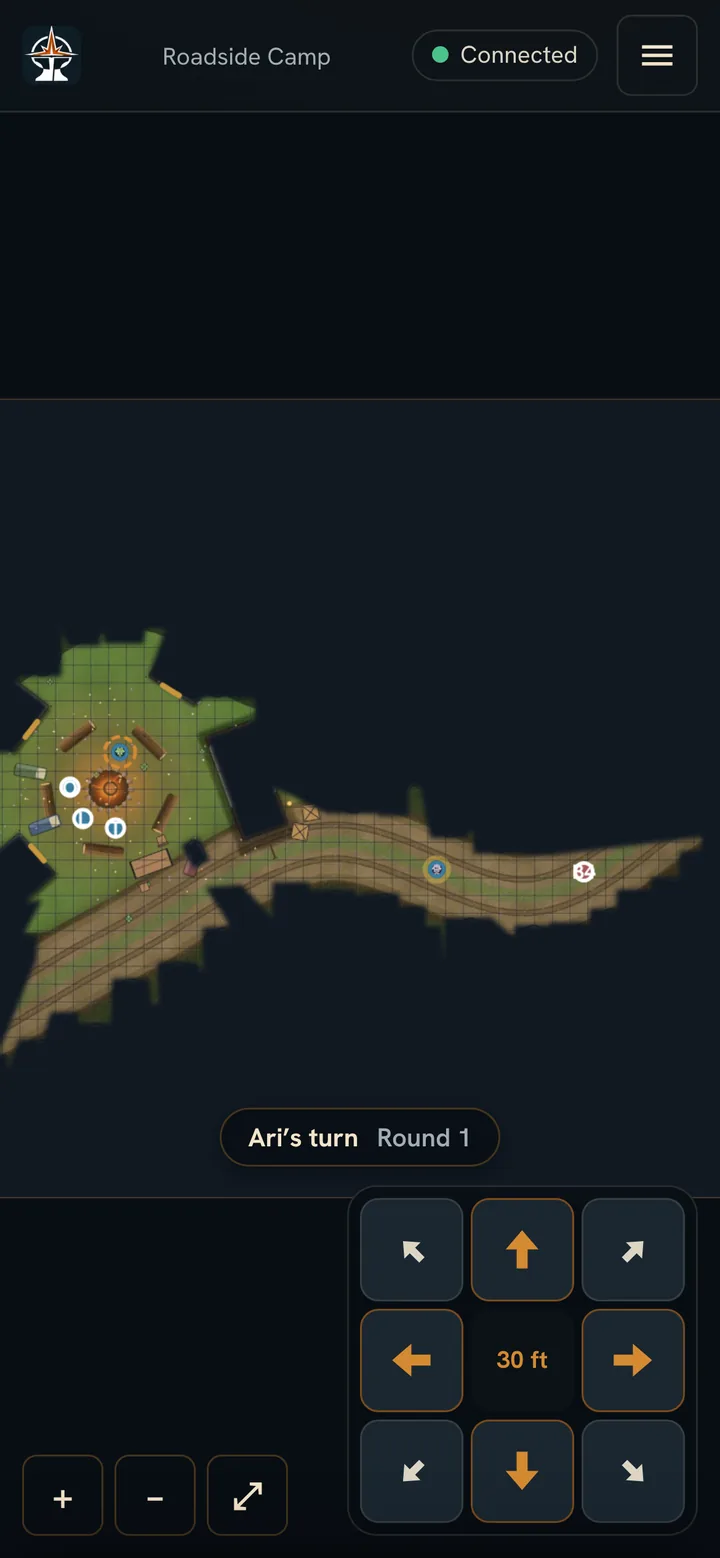
- See what the party sees. With line of sight on, what any of the party's characters can see right now, and solid dark everywhere else. With Shrouded rooms, the rooms the DM has revealed. Tokens, doors and the turn order come along. The map is sent in small pieces, so it appears fast.
- Move their own character. Big arrow buttons move one square per tap; hold to walk, or use the arrow keys or drag. In combat the pad shows the feet left. If the DM approves moves, the token waits as a ghost until they do. If the DM locks movement, the pad says "Paused".
- Know whose turn it is. A strip over the map says "Your turn" or names whose turn it is.
- Bring their own token. A pixel-art token from the sprite maker, or simple letters. Try the free token maker.
- Hidden enemies, secret doors, traps and DM notes stay on your PC. They are left out of what players receive, not just covered up.
- Players ask to move. Your PC checks walls, closed doors, speed and whose turn it is before anything happens. Each move is one step you can undo.
- You choose how moves are handled: Free, DM approves (with the path drawn on your map first) or Locked.
- Offline play does not change. Nothing goes online until you start a session.
How it gets built
-
The switchboard Done
Sessions, join codes, join approval, reconnecting and safety limits. Covered by automated tests.
-
Start a session from the top bar Working
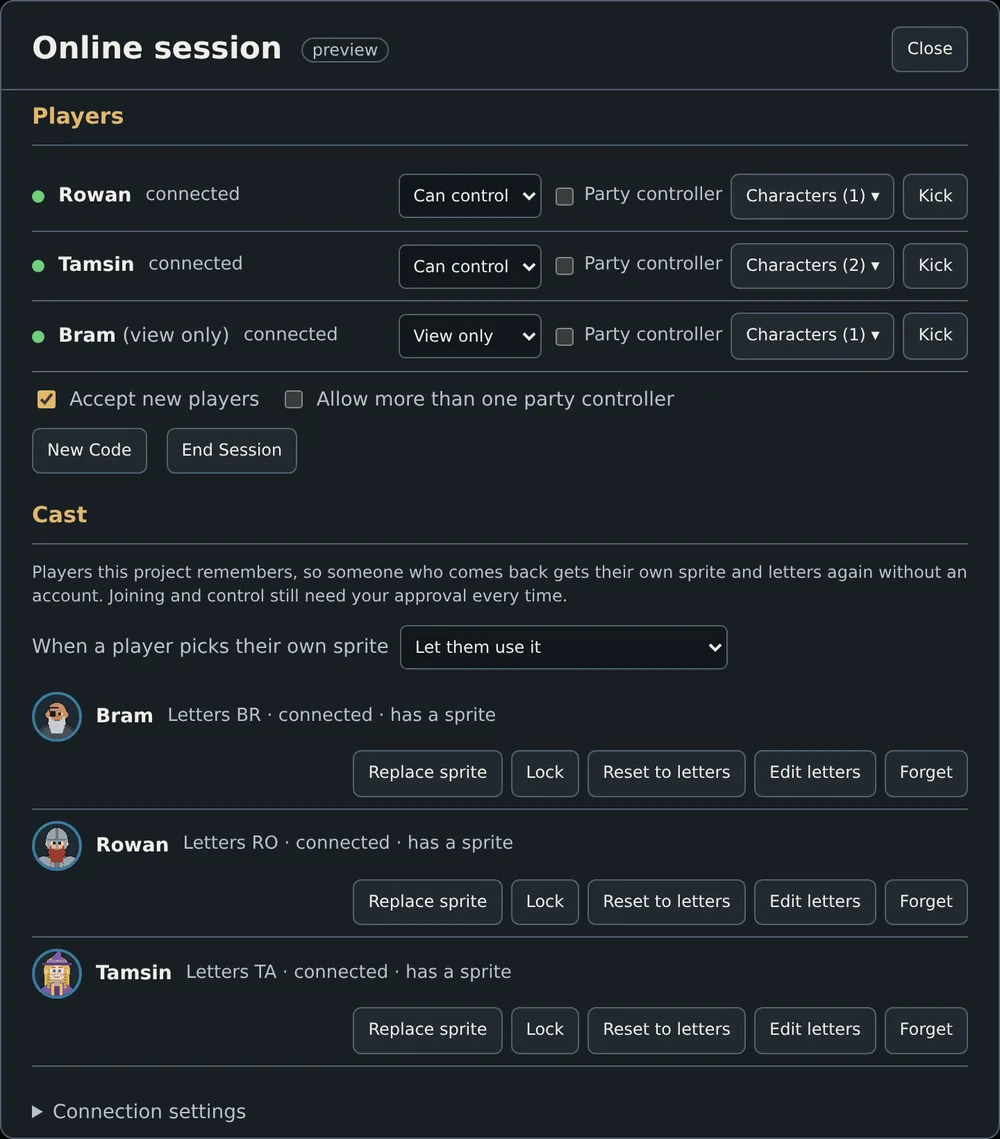
Online, then New online session and Start Online Session, gives a join code, a link and a QR code. Join requests appear for you to approve, turn down or block.
-
You decide who controls what Working
You control every token until you hand some out. Give each player exactly the characters they run, switch someone to view only, or remove them.
-
Players move their own characters Working
Pad, arrow keys or drag, with one set of rules for all three. Walls, closed doors, speed and whose turn it is are checked on your PC. Open doors let players through.
-
Line of sight in the browser Working
The party's current sight on every phone, solid dark everywhere else, and no out-of-sight doors, objects, lights or creatures sent at all. The same rules as the Player Display.
-
DM approves and Lock Working
See each requested move on your map before you approve it, or pause every player's token with one click.
-
Players make their own token Working
Players send a token from the sprite maker in their browser to your game. Your PC checks every picture and remembers each player's token with the battle. The standalone free token maker at sprite.cartosmith.app is available now.
-
Rejoin after a refresh Working
Reload the page or lose signal and pick up where you left off. If your own PC drops, CartoSmith reconnects to the same session for about two minutes.
-
Testing with real groups Now
Real tables, real phones and long sessions. Tick the tester box if you'd like to run one with us.
-
Doors, stairs and conditions from the phone Later
Let players open doors, take stairs and mark conditions themselves. Today the DM does these.
-
Open to everyone Later
The public join page and switchboard open for every table.
On the list.
Planned work that is not in the app yet. Some of it may land before 1.0 and some after.
-
Session and encounter notes
A place to keep notes for your sessions and encounters.
-
A guided tour
A hands-on tour that points at the controls as you use them, to go with the Quick Start walkthrough.
-
Hex grids
Hex grids as an option next to the square grid.
-
More ways to build maps
Dungeon Brush, Areas and Sections, portals and other map tools. Bring a Universal VTT map in as one floor of a building, and save your maps back out as Universal VTT.
-
Spells with more life
Summon placement, so creatures and objects made by spells land on the map. Animated casts with projectiles, beams, bursts and pulses. Glows and markers on tokens for status spells such as Faerie Fire.
-
Sound for the whole table
Players hear the Soundboard on their own phones and laptops once online play opens. After that, sounds that start when the party walks into a room, and effects tied to doors and traps.
-
Tokens with more character
Choose a portrait on a token that is already in an encounter, show when a creature is bloodied, and offer a square token style.
Being considered.
-
A tilted tabletop view
An optional angled view of the battle map, as if you were looking at the table from a seat instead of from above. Top-down stays the default.
It is being evaluated first, with frame rate checks on a real Windows PC, before anyone commits to building it. A full 3D view with raised walls is a much larger job and is not planned for now.

Hear when it lands.
Leave your email and we'll let you know when CartoSmith opens. Want to test online play with your group? Tick the box. Want to follow along now? Join r/CartoSmith on Reddit.