
How online play works.
You run the game from CartoSmith on your PC. Players open play.cartosmith.app on a phone, tablet or laptop, wherever they are, and move their own characters. No app and no account. Online play works end to end in private tests and is not open to everyone yet.
You stay in charge.
-
Start a session
Click Online in the top bar, then New online session and Start Online Session. Share the six-character code, the link or the QR code.
-
Let each player in
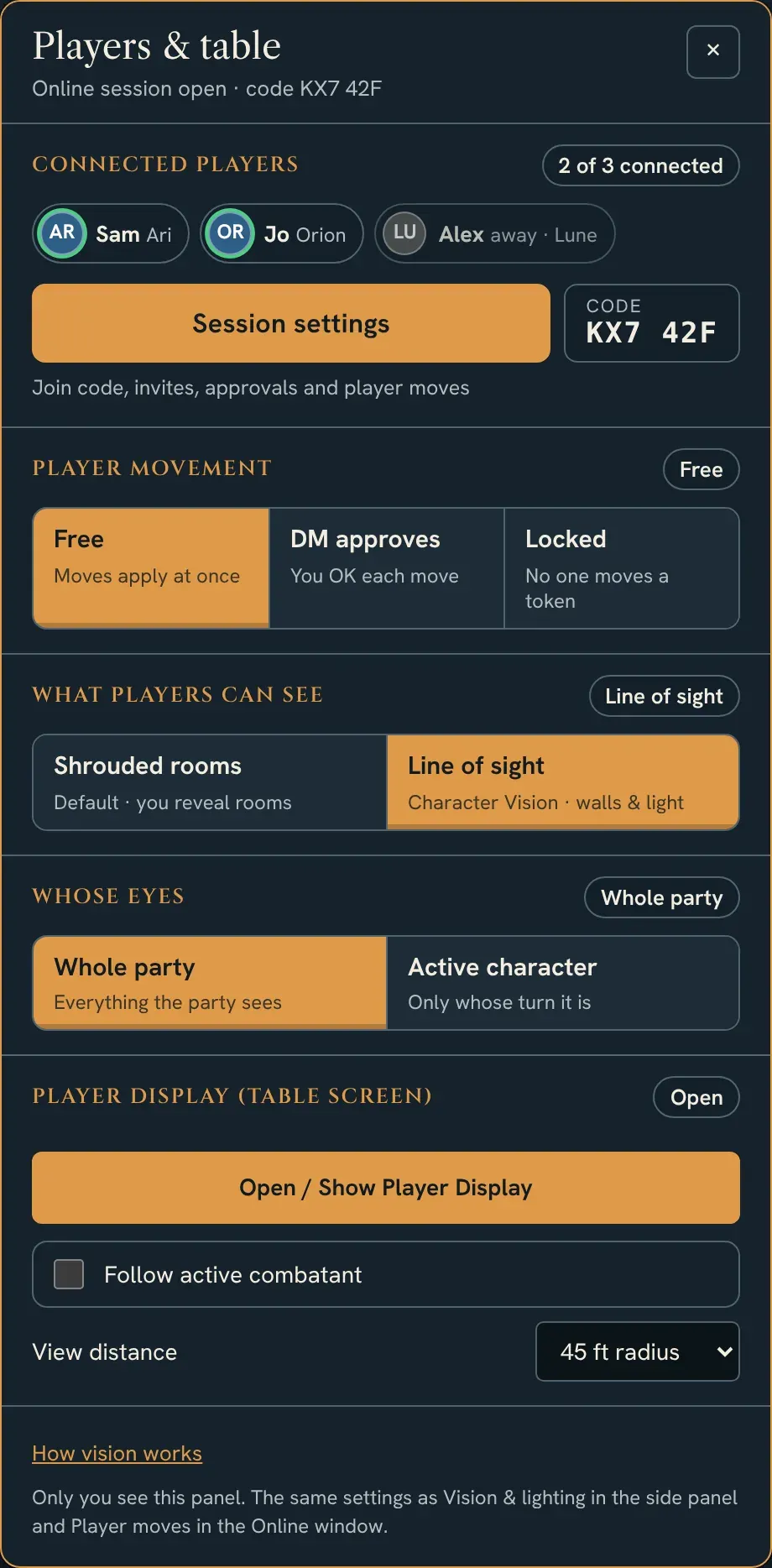
Requests wait for you to approve, turn down or block. Tick each player's character under Characters. Until then they can watch but move nothing.
-
Choose what they see
See: Shrouded rooms (rooms stay hidden until you reveal them) or Line of sight (walls, doors and light decide). Eyes: the whole party, or only whoever's turn it is, on the table screen.
-
Choose how they move
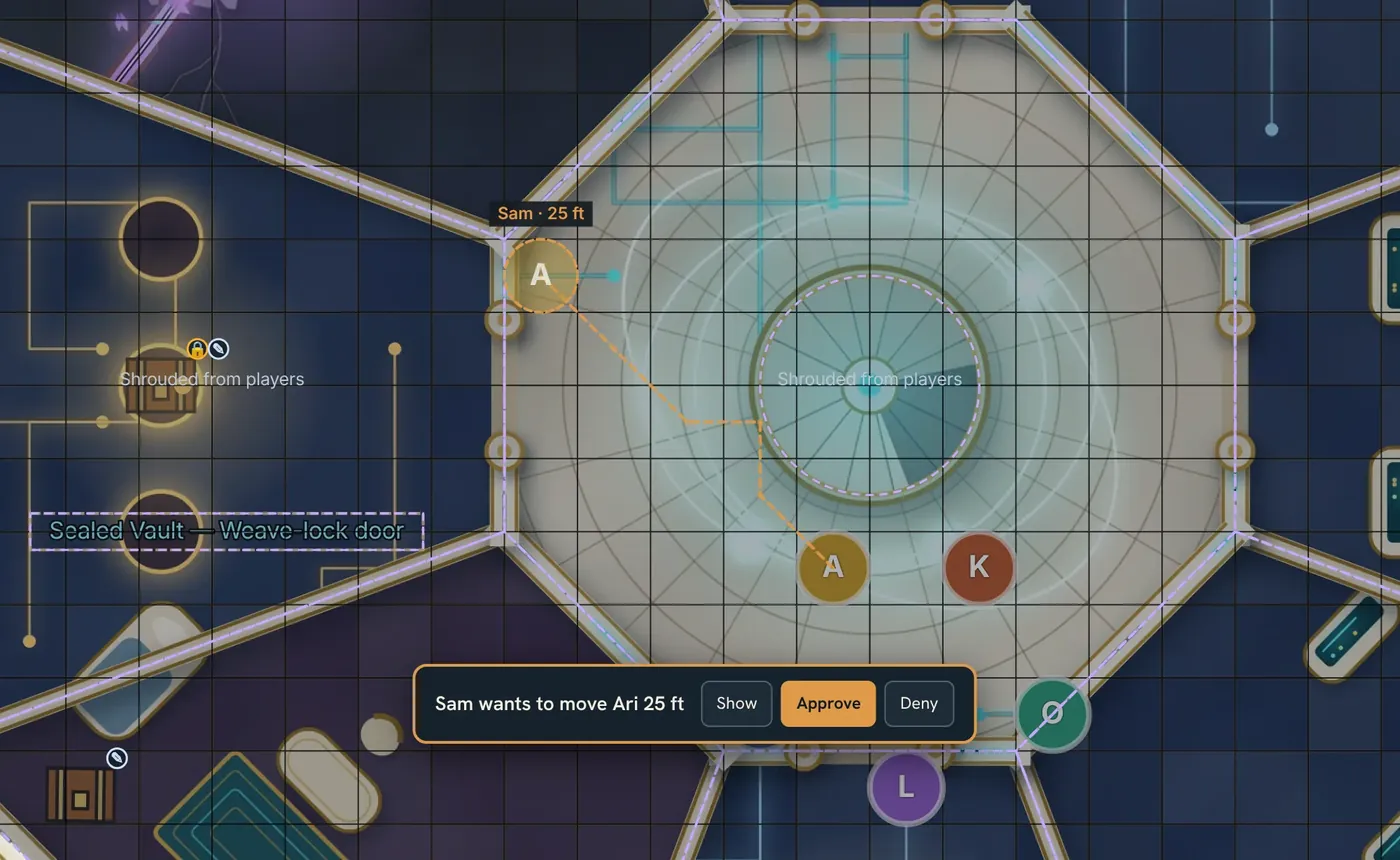
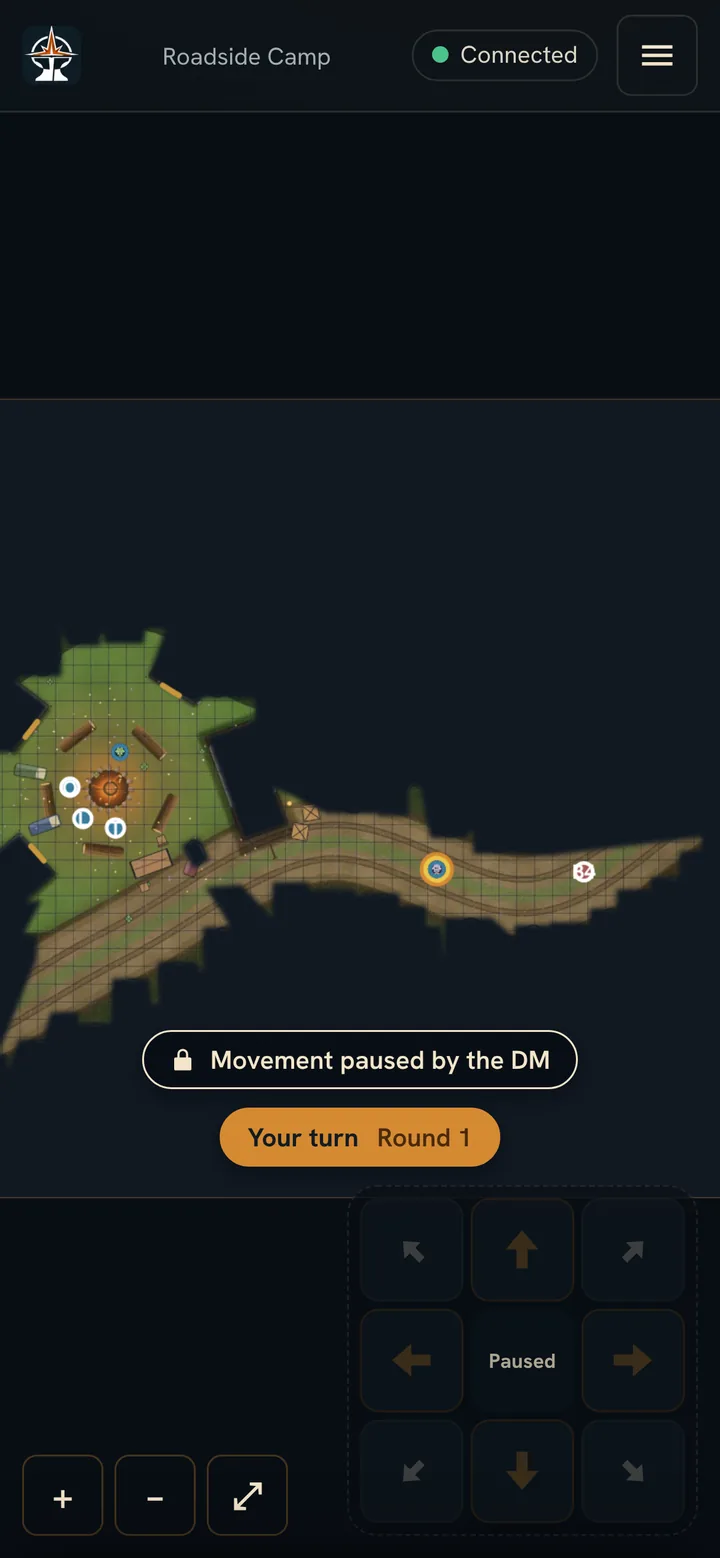
Free applies moves at once. DM approves draws each request on your map first: the path, a ghost of the token, the feet, and where a wall stops it. Locked, or the one-click Lock button beside Online, pauses every player's token.
-
Run the game
You still move anything, open doors, reveal rooms and run initiative. Switch a player to view only, hand a character to someone else, or remove them.
DM approves: see the move first.
With DM approves on, a player's move waits as a ghost on their phone. On your map you see the squares it walks, the ghost at the destination, the player's name and the feet. Approve moves the token along that path in one Undo step; Deny clears it. A waiting move reveals nothing new to anyone.
On the player's phone.
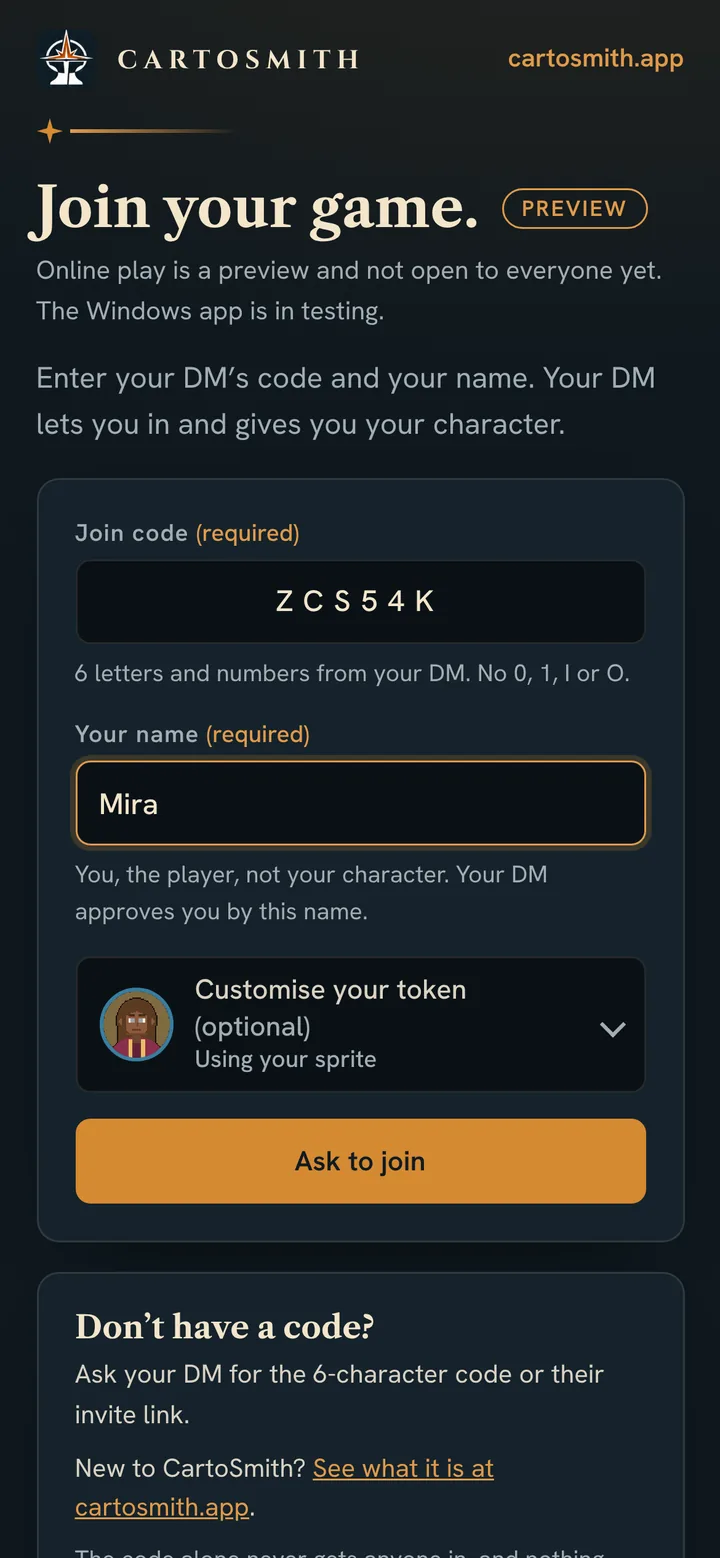
- Join with a code. Type the code and a name, or tap your link. Then wait for the DM.
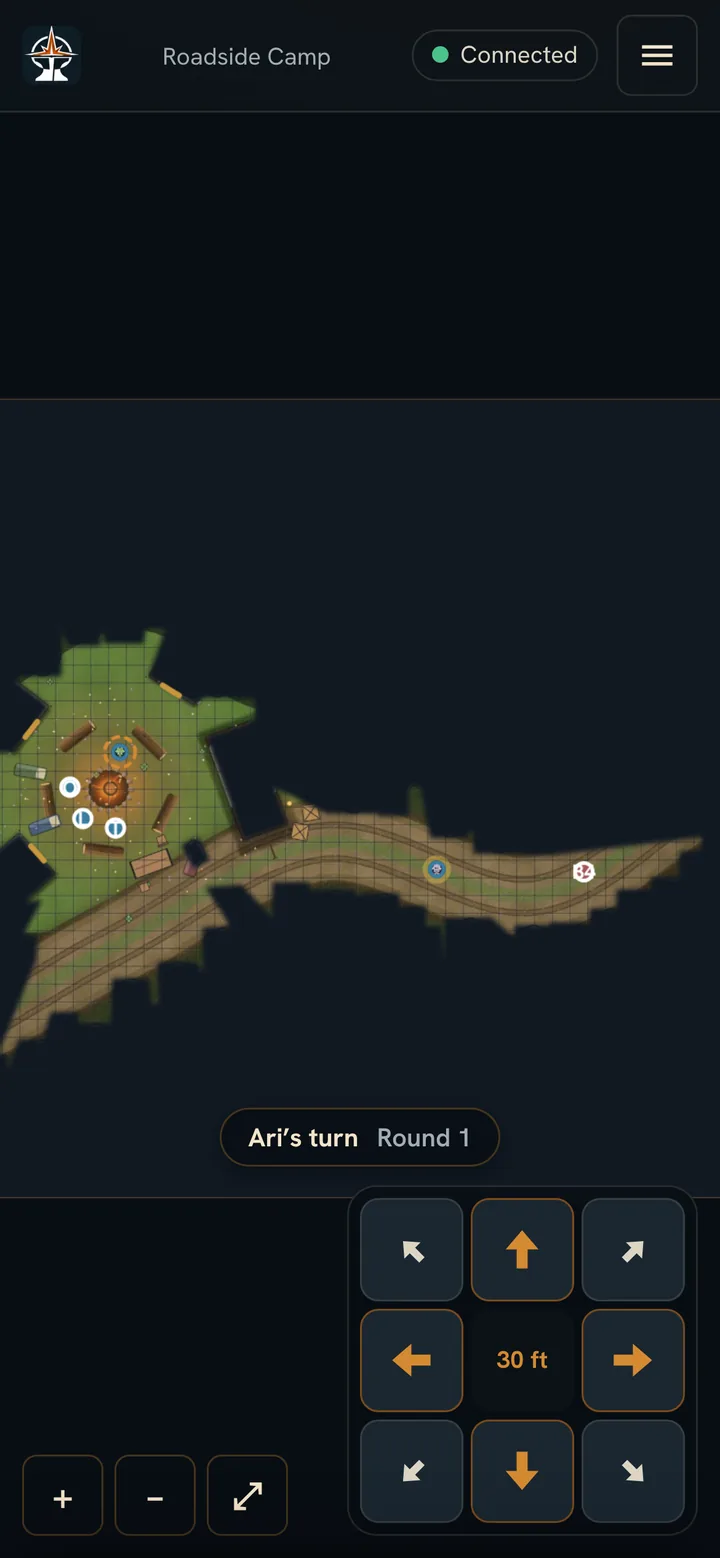
- See what the party sees. With line of sight on, what any of the party's characters can see right now, and solid dark everywhere else. With Shrouded rooms, the rooms the DM has revealed.
- Move their own character. Tap the pad to step, hold to walk, or use the arrow keys or drag. In combat the pad shows the feet left.
- Know whose turn it is. A strip over the map says "Your turn" or names whose turn it is.
- Bring their own token. A pixel-art token from the free token maker, or simple letters.
- Hidden enemies, secret doors, traps and DM notes stay on your PC. They are left out of what players receive, not just covered up.
- Players ask to move. Your PC checks walls, closed doors, speed and whose turn it is before anything happens.
- A small relay passes messages between your PC and the players. It keeps no game data, and you never need to open ports on your router.
- Up to 12 players per session. Offline play doesn't change: nothing goes online until you start a session.